Professional Recordset Wizard
Version 1.3.9  how it workhelps and tutorialDownload demoAdd to cart
 How does it work - Criteria
Main
Tables
Join
Field
Buttons
Price: 44,00 €
Usd. 56,15
Currency conversion according with PayPal

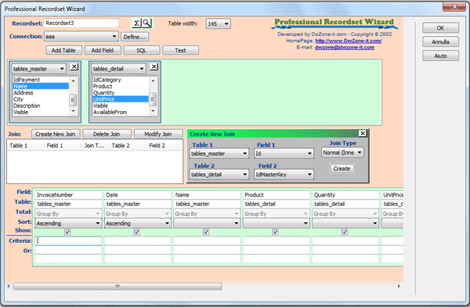
To specify criteria for a field enter an expression in the Criteria cell for that field.
You can enter additional criteria for the same field or different fields. When you type expressions in more than one Criteria cell, this extension combines them using either the And or the Or operator. If the expressions are in different cells in the same row, this extension uses the And operator, which means only the records that meet the criteria in all the cells will be returned. If the expressions are in different rows of the design grid, this extension uses the Or operator, which means records that meet criteria in any of the cells will be returned.
IMPORTANT: You cannot use subquery to define criteria for a field
Syntax:
In the criteria expression You can use 3 type of data: String, Number and Variable
Operators and syntax:
Operator String example Number example Variable example
>
>=
=
<>
<=
<
>"Italy" >5 >request("From")
Like
Like *"ly"
Like *"ly*"
Like "ly"
----
Like *request("From")
Like *request("From")*
Like request("From")
Between Between "Italy" AND "Spain" Between 1 AND 5 Between request("From") AND request("To")
In / Not In In("a";"b";"c")
Not In("a";"b";"c")
In(1,2,3)
Not In(1,2,3)
In(Request("Fld1"),Request("Fld2"))
Not In(Request("Fld1"),Request("Fld2"))
  With the Between/In/Not In operators you can mix the 3 type of data value es: Between "Italy" AND request("Country")
Is Null Search all the record where the field value is null
Not Is Null Search all the record where the field value is not null
True Search all the record where the field (only true/false fields) is true
False Search all the record where the field (only true/false fields) is false
Examples of expressions criteria
Field Expression Description
ShipCity "London" Displays orders shipped to London.
ShipCity "London" Or "Hedge End" Uses the Or operator to display orders shipped to London or Hedge End.
ShippedDate Between #1/5/95# And #1/10/95# Uses the Between...And operator to display orders shipped no earlier than 5-Jan-95 and no later than 10-Jan-95.
ShippedDate #2/2/95# Displays orders shipped on 2-Feb-95.
ShipName Like "S"* Orders shipped to customers whose name starts with the letter S.
CompanyName >="N" Displays orders shipped to companies whose name starts with the letters N through Z.