This feature require our extension "Import Export Tools" installed
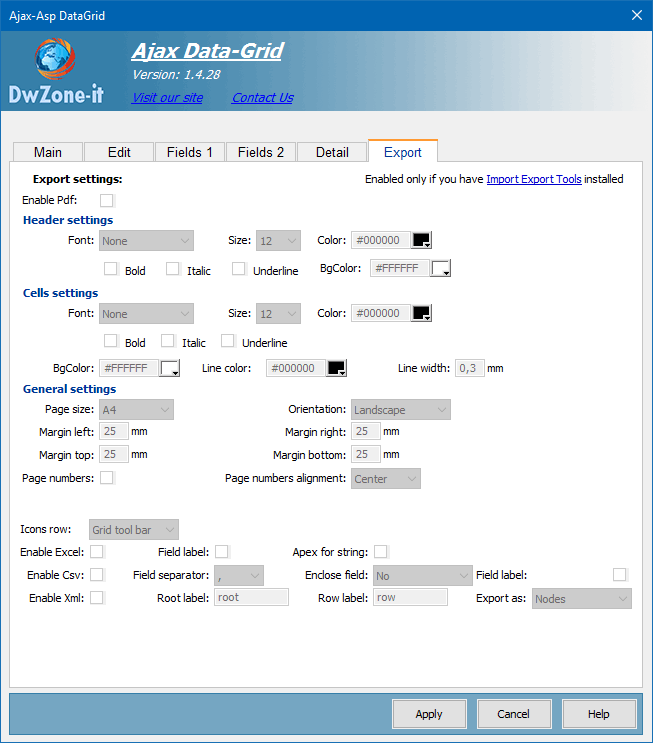
Excel export:
Field label:
If checked the first line of the Excel file will contains the field label list.
Apex for string:
If checked enclose the string between single pex
Csv export:
Field label:
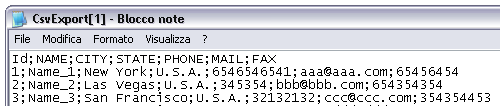
If checked the first line of the csv file will contains the field label list.
This is an example:
Fields separator:
The Csv file is a text file where each line is a record and in a line the field are separated with a special char, this combo display the available field separator and you can choose the separator you need.
The available separator are: , ; TAB | :
Remenber: the fields you want export cannot contain the separator you setup, and the extension will remove the separator from the exported fields if present.
Enclose field:
Define if the field value must be enclosed with simple or double apex or not enclosed
Xml export:
Export as:
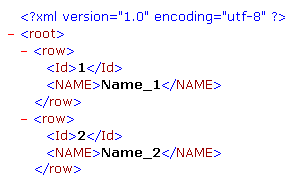
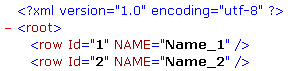
The Xml has 2 method to define value inside a node.
The Node Value and the Node Attribute.
This is an example of Node Value
This is an example of Node Attribute
Xml root label:
The label of the first level node, like:
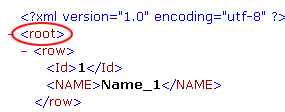
Xml row label:
The label of the node that will contain the data, like:
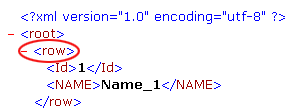
Pdf export:
Header settings:
This are the settings for the header font and background of the table
The table header is repeated for each page
Cell settings:
This are the font, border and background settings for each cell of the pdf table
The line width must be in decimal format like 0,3, if you don't want the border-line you must setup the width to 0 (zero)
General settings:
This are the settings for the pdf
Page size:
The page format. Available size are: A3 - A4 - A5 - Letter - Legal
Orientation:
Can be Portrait or landscape
Margins:
The margins between the pdf table and the page
Page numbers:
If checked insert the page number with the format: "Page x of xx" and can be left/center/right page aligned.
