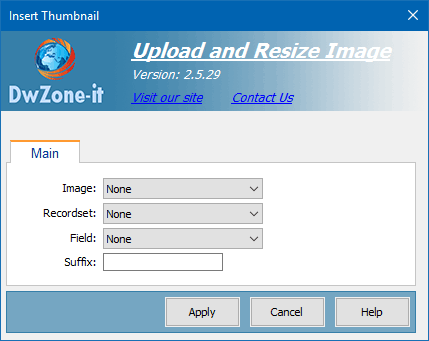
This behavior insert the thumbnail in the page. You can use this behavior when you save in the db only the path of the master image and not the path of the thumbnail.
Image:
The image ID where you want apply the behavior.
To use this behavior you must:
1°) Insert an image placeholder
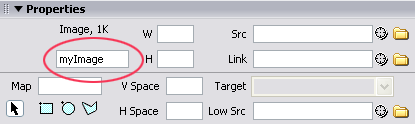
2°) Give an ID to the image placeholder
3°) Open the behavior and in the Image combo select the image ID you want apply
The image ID is the image property evidenced in this image
Recordset:
The recordset where you have saved the image path
Field:
The field that contain the path od the image.
This field must contain the full path of the image and not only the name.
Suffix:
The suffix of the image thumbnail. The suffix position is not requested because the behavior search before with the suffix between the image name and the image extension and if the thumb is not find search with the suffix before the name.
