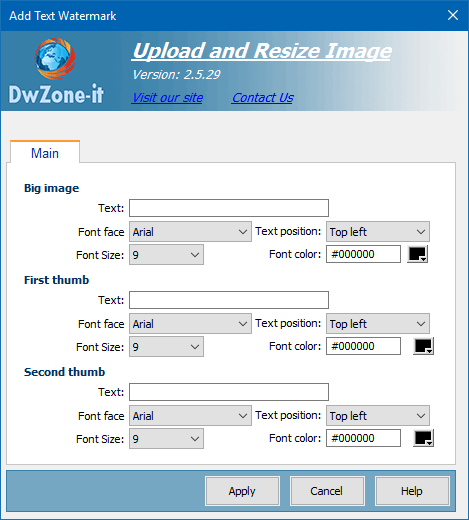
This behavior insert a watermark text after the upload and the resize process are completed.
The upload process, after is completed, verify if this behavior is in the page and if the behavior is find add the watermark text where setup
If one or more watermark text are void the behavior skip the image and don't add the watermark to this image. So you can define if add the watermark to all the images or if skip one of them.
This behavior to work need the Asp.Net Framework installed on the server
Text:
The text will be write in the images
Font face
The FONT used to write the text
Font size
The size of the font used to write the text
Font color
The color of the font used to write the text
Text position
The position of the watermark text.
The available position are:
- Top left
- Top center
- Top right
- Middle left
- Middle center
- Middle right
- Bottom left
- Bottom center
- Bottom right
- Repeat 1 Line
- Repeat 2 lines
- Repeat 3 Lines
The repeat method will have the final result you see in this images:
